




HarmonyOS 鸿蒙Next中报错Please check whether the keyAlias is correct
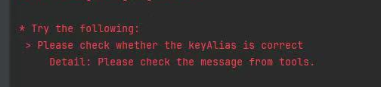
HarmonyOS 鸿蒙Next中报错Please check whether the keyAlias is correct 报错Please check whether the keyAlias is correct,证书配置完成后,报这个错误怎么解决?
更多关于HarmonyOS 鸿蒙Next中报错Please check whether the keyAlias is correct的实战教程也可以访问 https://www.itying.com/category-93-b0.html

根据报红原因得知是开发者别名填写有误,建议开发者再项目结构中进行修改自己设定的别名
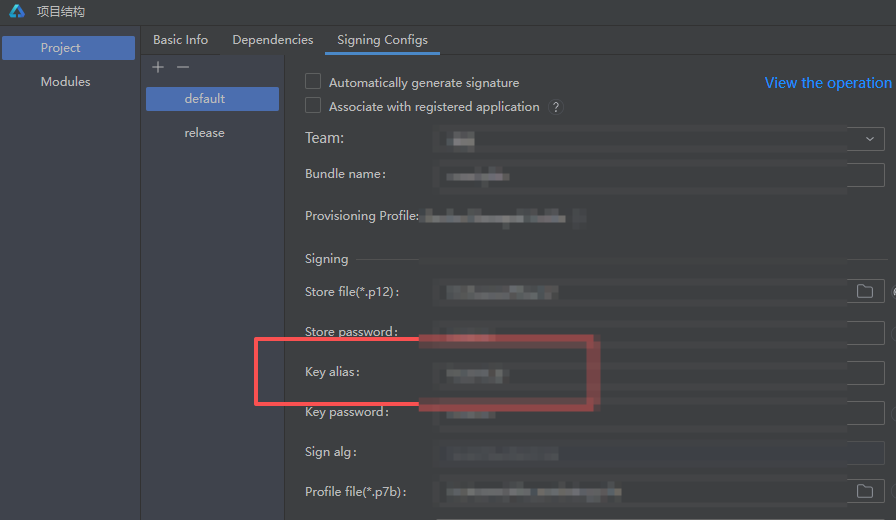
若是忘记自己设定别名,建议开发者重新生成密钥和证书请求文件:https://developer.huawei.com/consumer/cn/doc/harmonyos-guides/ide-publish-app#section1079214271414

更多关于HarmonyOS 鸿蒙Next中报错Please check whether the keyAlias is correct的实战系列教程也可以访问 https://www.itying.com/category-93-b0.html

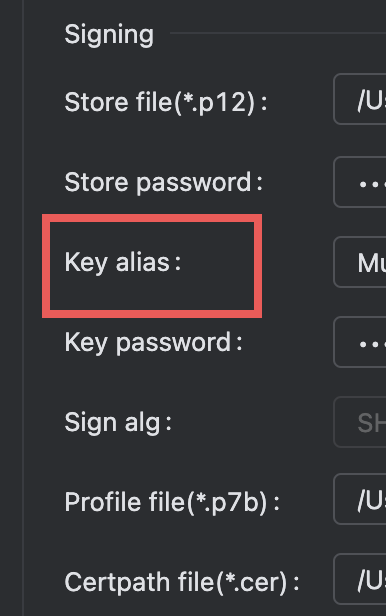

在HarmonyOS Next中,报错“Please check whether the keyAlias is correct”通常是由于签名配置中的keyAlias与实际密钥库文件中的别名不匹配导致的。请检查项目配置文件(如build-profile.json5)中的signingConfig部分,确保keyAlias字段的值与您生成签名文件时使用的别名完全一致,包括大小写。

这个报错通常是由于签名配置中的keyAlias与实际证书不匹配导致的。请按以下步骤排查:
-
检查keyAlias名称:确认在
build-profile.json5或signingConfigs中配置的keyAlias是否与.p12或.jks证书文件中的别名完全一致(区分大小写)。 -
验证证书信息:使用以下命令查看证书别名:
keytool -list -v -keystore your_keystore.jks -storepass your_password或对于.p12文件:
keytool -list -v -keystore your_cert.p12 -storetype pkcs12 -
检查密码正确性:确保keyStorePassword和keyPassword配置正确,错误的密码也可能导致别名验证失败。
-
同步项目配置:修改配置后执行
File > Sync Project with Gradle Files(或对应IDE的同步操作)。 -
清理构建缓存:尝试清理项目并重新构建:
./gradlew clean
./gradlew build
如果问题仍然存在,请确认证书文件未损坏且与当前项目要求的签名规范相符。
