




HarmonyOS鸿蒙Next中如何实现对聊天消息长按选择复制弹窗
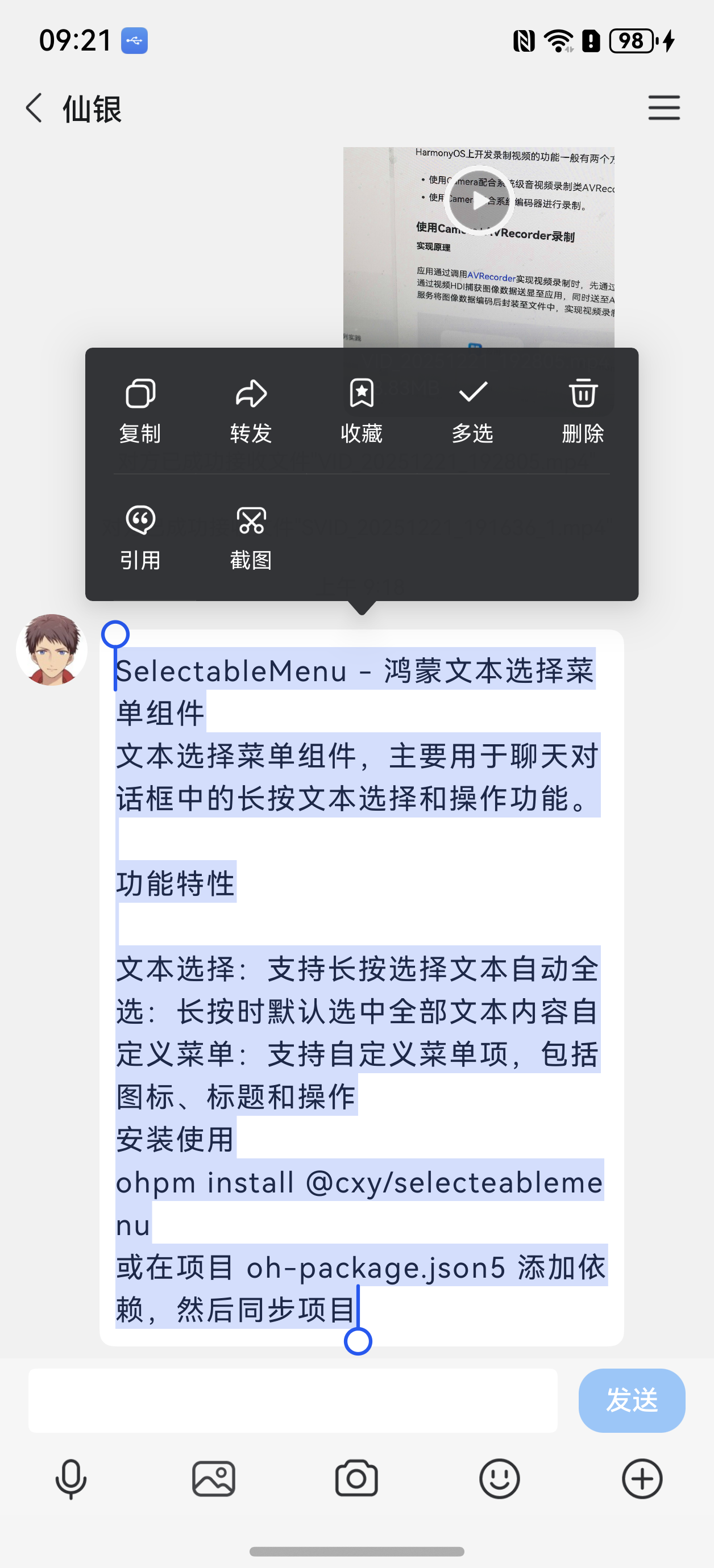
HarmonyOS鸿蒙Next中如何实现对聊天消息长按选择复制弹窗 比如QQ聊天, 长按后全选文本。
更多关于HarmonyOS鸿蒙Next中如何实现对聊天消息长按选择复制弹窗的实战教程也可以访问 https://www.itying.com/category-93-b0.html

解决了啦,大佬加个解决了,大佬能加个微信吗?有不懂得请教你,
更多关于HarmonyOS鸿蒙Next中如何实现对聊天消息长按选择复制弹窗的实战系列教程也可以访问 https://www.itying.com/category-93-b0.html

hvigor ERROR: ArkTS Compiler Error
1 ERROR: 10505001 ArkTS Compiler Error
Error Message: Declaration or statement expected. At File: D:/YuanYu/entry/src/main/ets/pages/xiaoxi/liaotian.ets:1524:25
2 ERROR: 10505001 ArkTS Compiler Error
Error Message: Declaration or statement expected. At File: D:/YuanYu/entry/src/main/ets/pages/xiaoxi/liaotian.ets:1635:25
3 ERROR: 10505001 ArkTS Compiler Error
Error Message: Cannot find module ‘@cxy/selecteablemenu’ or its corresponding type declarations. At File: D:/YuanYu/entry/src/main/ets/pages/xiaoxi/liaotian.ets:42:8
4 ERROR: 10505001 ArkTS Compiler Error
Error Message: Property ‘onDidMenuItem’ does not exist on type ‘ChatMessage’. At File: D:/YuanYu/entry/src/main/ets/pages/xiaoxi/liaotian.ets:88:16
5 ERROR: 10505001 ArkTS Compiler Error
Error Message: Property ‘selectionStart’ does not exist on type ‘ChatMessage’. At File: D:/YuanYu/entry/src/main/ets/pages/xiaoxi/liaotian.ets:93:32
6 ERROR: 10505001 ArkTS Compiler Error
Error Message: Property ‘selectionEnd’ does not exist on type ‘ChatMessage’. At File: D:/YuanYu/entry/src/main/ets/pages/xiaoxi/liaotian.ets:93:60
7 ERROR: 10505001 ArkTS Compiler Error
Error Message: Property ‘selectionEnd’ does not exist on type ‘ChatMessage’. At File: D:/YuanYu/entry/src/main/ets/pages/xiaoxi/liaotian.ets:94:12
8 ERROR: 10505001 ArkTS Compiler Error
Error Message: Property ‘selectionStart’ does not exist on type ‘ChatMessage’. At File: D:/YuanYu/entry/src/main/ets/pages/xiaoxi/liaotian.ets:94:32
9 ERROR: 10505001 ArkTS Compiler Error
Error Message: Property ‘onDidMenuItem’ does not exist on type ‘ChatMessage’. At File: D:/YuanYu/entry/src/main/ets/pages/xiaoxi/liaotian.ets:99:16
10 ERROR: 10505001 ArkTS Compiler Error
Error Message: Property ‘onDidMenuItem’ does not exist on type ‘ChatMessage’. At File: D:/YuanYu/entry/src/main/ets/pages/xiaoxi/liaotian.ets:108:14
11 ERROR: 10505001 ArkTS Compiler Error
Error Message: Property ‘onDidMenuItem’ does not exist on type ‘ChatMessage’. At File: D:/YuanYu/entry/src/main/ets/pages/xiaoxi/liaotian.ets:116:14
12 ERROR: 10505001 ArkTS Compiler Error
Error Message: Property ‘onDidMenuItem’ does not exist on type ‘ChatMessage’. At File: D:/YuanYu/entry/src/main/ets/pages/xiaoxi/liaotian.ets:124:14
13 ERROR: 10505001 ArkTS Compiler Error
Error Message: Property ‘onDidMenuItem’ does not exist on type ‘ChatMessage’. At File: D:/YuanYu/entry/src/main/ets/pages/xiaoxi/liaotian.ets:132:14
14 ERROR: 10505001 ArkTS Compiler Error
Error Message: Cannot find name ‘padding’. Did you mean the instance member ‘this.padding’? At File: D:/YuanYu/entry/src/main/ets/pages/xiaoxi/liaotian.ets:1524:26
15 ERROR: 10505001 ArkTS Compiler Error
Error Message: Cannot find name ‘padding’. Did you mean the instance member ‘this.padding’? At File: D:/YuanYu/entry/src/main/ets/pages/xiaoxi/liaotian.ets:1635:26
COMPILE RESULT:FAIL {ERROR:16 WARN:70}
- Try:
Run with --stacktrace option to get the stack trace.
Run with --debug option to get more log output.
hvigor ERROR: BUILD FAILED in 6 s 243 ms

你好,解决了吗? 检查oh-package.json5文件中依赖是否正确安装了。
"dependencies": {
  "@cxy/selecteablemenu": "^1.0.2"
},


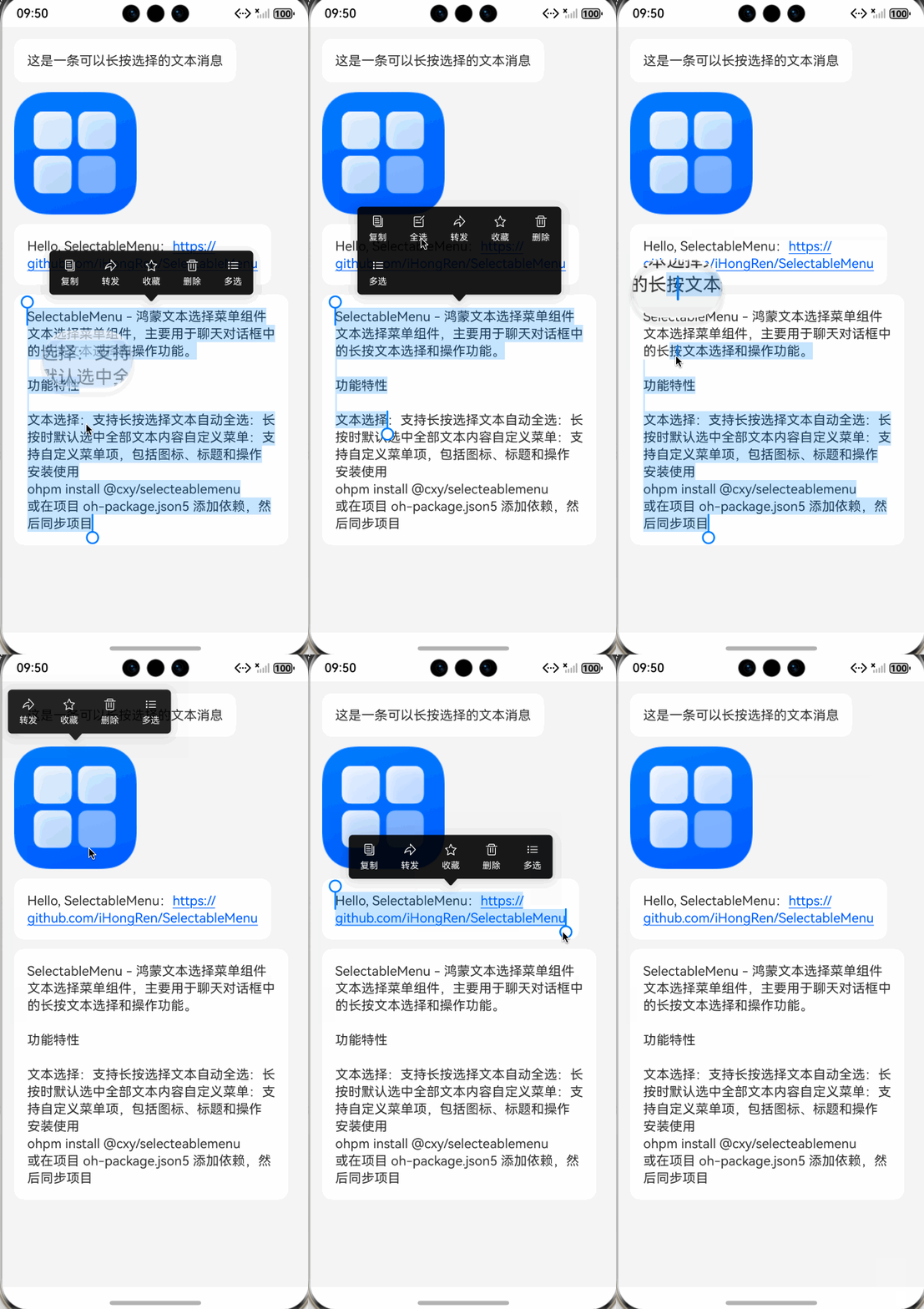
我们可以借助三方库 @cxy/selecteablemenu 来实现。
预览效果:
1、先安装库: ohpm i @cxy/selecteablemenu
2、新建一个ChatMessage类,继承@cxy/selecteablemenu中的SelectableModel类,覆盖实现里面的三个方法:
import {
  MenuContainer, SelectableMenuItem, SelectableModel, SelectableText
} from '[@cxy](/user/cxy)/selecteablemenu'

enum MessageType {
  Text = 0,
  Image = 1
}

/**
 * ChatMessage 需要继承至 SelectableModel
 */
@Observed
class ChatMessage extends SelectableModel {
  id: number = 0
  type: MessageType = MessageType.Text
  text: string = ''
  imageUrl: ResourceStr = ''

  constructor(id: number) {
    super()
    this.id = id
  }

  /**
   * 覆盖父类方法,消息是否可以复制
   * @returns
   */
  public canCopy(): boolean {
    return this.type === MessageType.Text && this.text.length > 0
  }

  /**
   * 覆盖父类方法,消息可复制的文本
   * @returns
   */
  public copyText(): string {
    return this.text
  }

  /**
   * 覆盖父类方法,消息的弹出菜单项
   * @returns 菜单数组
   */
  public getMenus(): SelectableMenuItem[] {
    const menus: SelectableMenuItem[] = []

    if (this.canCopy()) {
      menus.push({
        title: '复制',
        icon: $r("app.media.copy"),
        action: () => {
          // 复制文本到剪贴板
          const text = this.copyText()
          // TODO: 调用系统复制API
          // ...

          this.onDidMenuItem?.(true)
        }
      })
    }

    if (this.canCopy() && this.selectionStart >= 0 && this.selectionEnd > 0 &&
      this.selectionEnd - this.selectionStart < this.copyText().length) {
      menus.push({
        title: '全选',
        icon: $r("app.media.edit"),
        action: () => {
          this.onDidMenuItem?.(false, true)
        }
      })
    }

    menus.push({
      title: '转发',
      icon: $r("app.media.forward"),
      action: () => {
        // TODO: 处理转发逻辑
        // ...

        this.onDidMenuItem?.()
      }
    })

    menus.push({
      title: '收藏',
      icon: $r("app.media.favor"),
      action: () => {
        // TODO: 处理收藏逻辑
        // ...

        this.onDidMenuItem?.()
      }
    })

    menus.push({
      title: '删除',
      icon: $r("app.media.delete"),
      action: () => {
        // TODO: 处理删除逻辑
        // ...

        this.onDidMenuItem?.()
      }
    })

    menus.push({
      title: '多选',
      icon: $r("app.media.sort"),
      action: () => {
        // TODO: 处理多选逻辑
        // ...

        this.onDidMenuItem?.()
      }
    })

    return menus
  }
}
3、给聊天组件增加一个并行的点击手势,用于点击后关闭弹窗。
.parallelGesture(
  TapGesture()
    .onAction((event) => {
      SelectableModel.onPageTap?.(event)
    })
)
4、demo代码:
@Component
export struct SelectableDemo {
  @State messages: Array<ChatMessage> = []

  aboutToAppear(): void {
    this.initMessages()
  }

  initMessages() {
    const message1 = new ChatMessage(1)
    message1.text = '这是一条可以长按选择的文本消息'

    const message2 = new ChatMessage(2)
    message2.type = MessageType.Image
    message2.imageUrl = $r('app.media.startIcon')

    const message3 = new ChatMessage(3)
    message3.text = 'Hello, SelectableMenu:https://github.com/iHongRen/SelectableMenu'

    const message4 = new ChatMessage(4)
    message4.text = `SelectableMenu - 鸿蒙文本选择菜单组件
文本选择菜单组件,主要用于聊天对话框中的长按文本选择和操作功能。

功能特性

文本选择:支持长按选择文本自动全选:长按时默认选中全部文本内容自定义菜单:支持自定义菜单项,包括图标、标题和操作
安装使用
ohpm install [@cxy](/user/cxy)/selecteablemenu
或在项目 oh-package.json5 添加依赖,然后同步项目`

    this.messages.push(message1)
    this.messages.push(message2)
    this.messages.push(message3)
    this.messages.push(message4)
  }

  build() {
    Column() {
      List({ space: 12 }) {
        ForEach(this.messages, (message: ChatMessage) => {
          ListItem() {
            if (message.type === MessageType.Text) {
              // 文本消息
              Column() {
                SelectableText({
                  model: message,
                  // text: message.text,
                  fontSize: 16,
                  fontColor: '#333333',
                  caretColor: '#007AFF',
                  selectedBackgroundColor: '#33007AFF',
                  enableDataDetector: true
                }) {
                  Span(message.text) //SelectableText子组件与Text的子组件一致
                }
              }
              .backgroundColor('#ffffff')
              .borderRadius(12)
              .padding(16)
              .alignItems(HorizontalAlign.Start)

            } else if (message.type === MessageType.Image) {
              // 图片消息
              MenuContainer({
                model: message,

              }) {
                Image(message.imageUrl)
                  .width(150)
              }
            }
          }

        }, (message: ChatMessage) => message.id.toString())
      }
      .backgroundColor('#f5f5f5')
      .padding(15)
      .layoutWeight(1)
    }
    .parallelGesture(
      TapGesture()
        .onAction((event) => {
          SelectableModel.onPageTap?.(event)
        })
    )
  }
}

在HarmonyOS Next中,通过长按触发Text组件的onCopy事件,结合系统剪贴板API实现复制功能。使用Text组件时,设置copyOption属性为CopyOptions.InApp或CopyOptions.LocalDevice,并绑定onCopy回调。当用户长按时,系统会自动弹出复制菜单,无需自定义弹窗。复制操作通过Clipboard API完成,调用系统剪贴板接口存储文本数据。

在HarmonyOS Next中实现聊天消息长按选择复制弹窗,可以通过Text组件的onLongPress事件结合TextSelection和ContextMenu来实现。以下是核心实现步骤:
-
使用Text组件并启用选择功能:
Text('聊天消息内容') .textSelection(TextSelection.Enabled) // 启用文本选择 .onLongPress(() => { // 触发长按事件 }) -
通过ContextMenu实现弹窗菜单:
.contextMenu({ builder: () => { Column() { Button('复制') .onClick(() => { // 获取选中文本并复制到剪贴板 }) Button('全选') .onClick(() => { // 全选文本逻辑 }) } }, responseType: ContextMenuResponseType.LongPress }) -
获取选中文本并操作剪贴板:
import { clipboard } from '[@kit](/user/kit).ArkUI'; // 在复制按钮点击事件中 const selectedText = getSelectedText(); // 需要实现获取选中文本的方法 clipboard.setData({ data: selectedText }); -
全选功能实现: 可以通过
TextSelectionController来控制文本选择状态:const controller = new TextSelectionController(); Text('聊天消息内容') .textSelection(TextSelection.Enabled) .selectionController(controller) // 全选操作 controller.selectAll();
关键点:
textSelection(TextSelection.Enabled)必须设置才能启用文本选择ContextMenu的responseType需设置为LongPress以响应长按事件- 剪贴板操作需要导入
[@kit](/user/kit).ArkUI模块 - 可通过
TextSelectionController精确控制文本选择行为
这种实现方式符合HarmonyOS Next的声明式UI范式,能提供与原生长按复制一致的用户体验。
